Calendar not syncing on iPhone? How to fix Google, iCloud and Outlook
When events don't show up on your iPhone, the cause is usually a setting: the calendar is switched off, the account isn't added, or the app hasn't refreshed yet. Start with the quick checks, then go to the section for your calendar.
Quick checks (any calendar)
- Check your internet connection.
- Make sure the date and time on your iPhone are correct.
- Update to the latest iOS.
- Close the Calendar app, wait about a minute and open it again.
- In the Calendar app, tap Calendars and swipe down on the list to refresh.
- In the same list, make sure the calendars you need are ticked.
- Change the sync range: SettingsAppsCalendarSync. If All Events is selected, pick a time range (for example, Events 1 Month Back); if a range is selected, pick All Events. Wait a few minutes and refresh again. (iOS 17 or earlier: SettingsCalendar.)
- Restart your iPhone.
Google Calendar not syncing with iPhone
- Check that your Google account is added: SettingsAppsCalendarCalendar Accounts. If it's missing, tap Add AccountGoogle and sign in. (iOS 17 or earlier: SettingsCalendarAccounts.)
- Tap your Google account and make sure Calendars is turned on.
- Missing shared or other Google calendars? Only the calendars under "My calendars" sync automatically. On a computer, open google.com/calendar/syncselect, tick the calendars you want on your iPhone, click Save, then refresh the Calendar app.
- If you use 2-Step Verification on an older iOS version, sign in with an app password instead of your regular password.
Some Google Calendar features don't work in the iPhone Calendar app, for example email notifications for events and creating new Google calendars.
iCloud (Apple) Calendar not syncing
- Check Apple's system status page for an iCloud outage.
- Use the same Apple Account on all your devices and make sure Calendars is turned on in iCloud settings.
- In the Calendar app, tap Calendars and make sure all iCloud calendars are ticked, then swipe down to refresh.
- New events landing in the wrong place? Set an iCloud calendar as default: SettingsAppsCalendarDefault Calendar.
The iCloud Birthdays calendar updates once a day on iPhone, so birthday changes can take up to a day to appear.
Outlook calendar not showing on iPhone
- Open SettingsAppsCalendarCalendar Accounts. Tap your Outlook account (or Add AccountOutlook.com; for work or school Microsoft 365 accounts choose Exchange).
- Make sure Calendars is turned on for that account, then open the Calendar app and tap Calendars to check it's ticked.
- Using the Outlook app? Tap the calendar icon or your avatar at the top left and tick each calendar you want to see. In the Outlook app, go to SettingsAccounts, tap the account and choose Reset Account. Also make sure Background App Refresh is on for Outlook.
- Shared Outlook calendar missing? In the Outlook app, only recently accepted shared calendars show up. Add it with the + button in the calendar menu, or ask the owner to share it again and accept the invite in Outlook.
Accounts added as IMAP or POP sync email only — not calendars. Calendars sync only for Exchange ActiveSync accounts such as Outlook.com, Microsoft 365 and Exchange.
Still not syncing?
Remove the account from your iPhone and add it again (SettingsAppsCalendarCalendar Accounts, tap the account, Delete Account). Then restart the iPhone and turn Calendars back on.
Removing an account takes its events off this iPhone until you add it back. The events themselves stay in your Google, iCloud or Outlook account.
See all your calendars in one place with Dailer
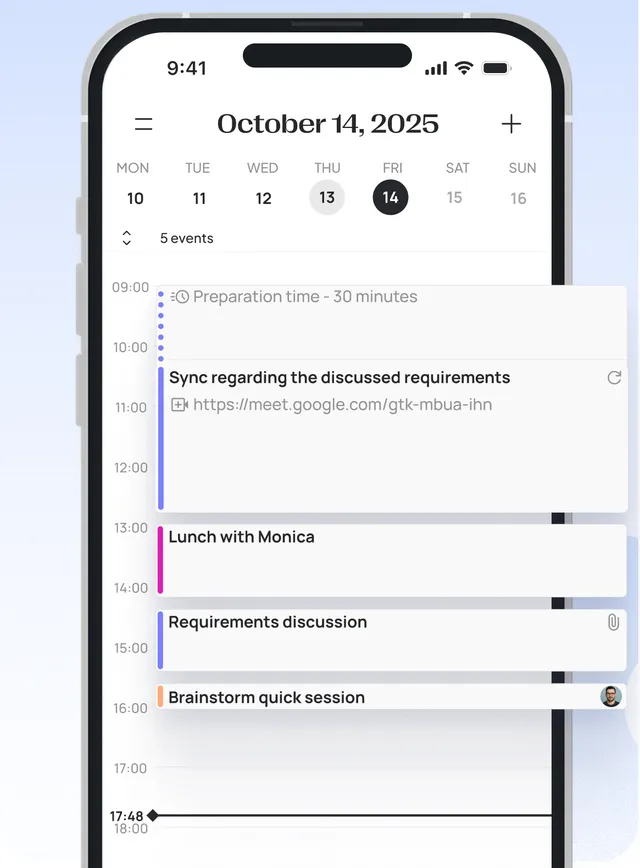
Dailer is an AI assistant for iPhone that shows your Google, Outlook and Apple calendars on one timeline. You can create and delete events in any connected calendar right from Dailer, by tapping or by asking in a chat.
- All connected calendars on one timeline
- Create and delete events in the calendar you choose
- Free: 1 calendar account; Pro: unlimited.
Dailer doesn't copy events between calendars and can't repair sync inside Google, iCloud or Outlook — if a calendar isn't syncing there, fix it with the steps above first.
Calendar sync questions
Why is my Google Calendar not syncing with my iPhone?
Usually the Google account isn't added in iPhone Settings, Calendars is turned off for that account, or the calendar isn't selected in the Calendar app. Shared and other Google calendars also need to be ticked on google.com/calendar/syncselect before they appear on iPhone.
Why are shared Google calendars missing on my iPhone?
Only calendars under "My calendars" sync automatically. Open google.com/calendar/syncselect on a computer, tick the shared calendars, click Save and refresh the Calendar app.
Why is my Outlook calendar not showing on my iPhone?
Check that the Outlook account is added in Settings › Apps › Calendar › Calendar Accounts with Calendars turned on. Accounts added as IMAP or POP don't sync calendars, so add it as Outlook.com or Exchange instead.
How do I make my iPhone calendar refresh?
Open the Calendar app, tap Calendars and swipe down on the list. If that doesn't help, change the sync range in Settings › Apps › Calendar › Sync and refresh again.
Will removing and re-adding an account delete my events?
It removes the account's events from your iPhone until you add the account back. The events stay in your Google, iCloud or Outlook account.
Can Dailer fix calendar sync problems?
No. Dailer shows your connected Google, Outlook and Apple calendars in one place, but it can't repair sync inside those services. Fix the sync with the steps in this guide first.
Sources
- Apple Support: If your iCloud Contacts, Calendars, or Reminders won't sync
- Google Calendar Help: Add Google Calendar events to Apple Calendar
- Microsoft Support: Connect Outlook and Apple iPhone calendars
- Microsoft Support: Can't sync calendar and contacts with my phone or tablet
- Microsoft Support: Why does my shared calendar not show up in mobile?