
Best AI calendar apps in 2026: 7 apps compared
"AI calendar" can mean very different things: an assistant you chat with, an engine that auto-plans your tasks, or a calendar that turns an email into an event. We compared seven apps by what their AI actually does, with our pick for iPhone first.
Dailer is our app. The other apps are described only from their official websites, pricing pages and App Store listings, checked on 16 November 2026.
Dailer
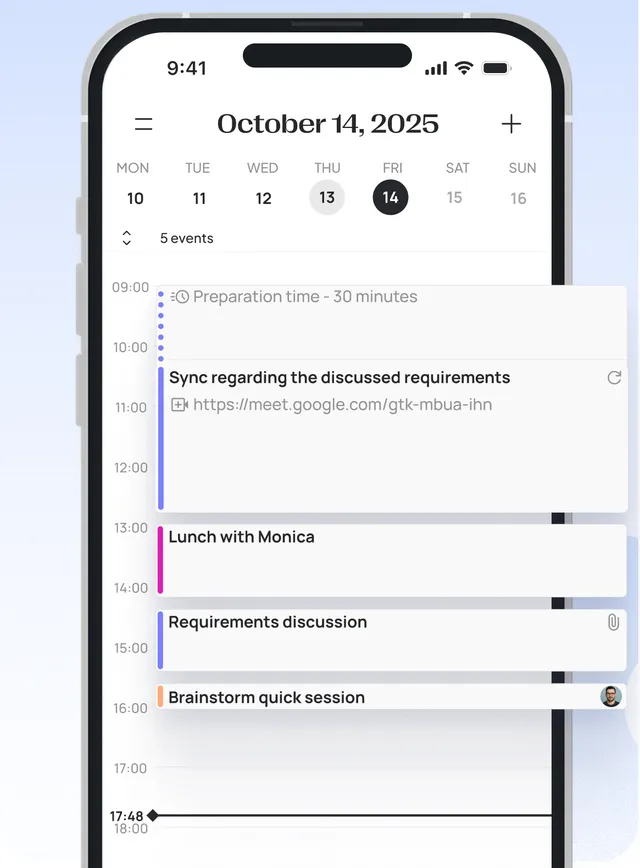
Best for: an AI assistant for your Google, Outlook and Apple calendars on iPhone.
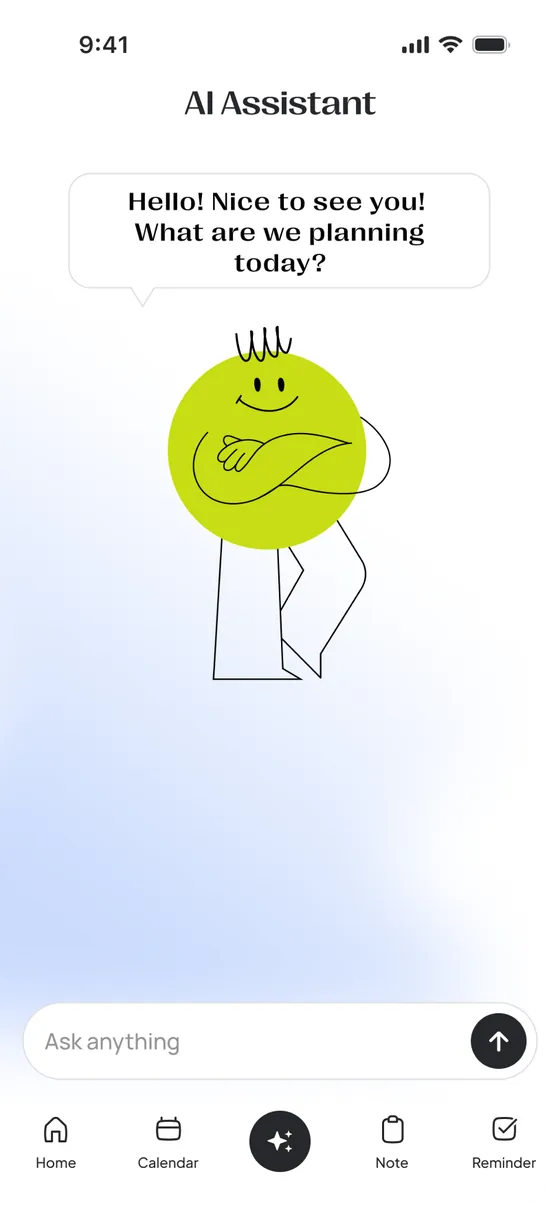
What the AI does: you chat or speak, and Dailer creates, moves and deletes events, finds free time, avoids overlaps and adds travel and prep time.
Why Dailer
- Works with Google, Outlook and Apple calendars on one timeline; events save to the calendar you choose.
- Plan by chatting — or by voice on Pro.
- Free plan: 1 calendar account, notes, reminders and AI chat with a weekly limit.
- Smart Tags for life balance and a weekly insight.
- Pro is $6.99 a month or $71.90 a year, with a 7-day free trial.
Good to know
- iPhone only (Android is in development)
- Dailer doesn't auto-plan your task list in the background — it schedules what you ask for
- No team features.
AI calendar apps at a glance
Dailer
- What the AI does
- Chat or voice assistant that creates, moves and deletes events across Google, Outlook and Apple calendars
- Free plan
- Yes
- Paid from
- $5.99/mo billed yearly ($6.99 monthly)
- Platforms
- iPhone
Motion
- What the AI does
- Auto-plans tasks and projects into your calendar
- Free plan
- No (free trial)
- Paid from
- $29/mo billed yearly ($49 monthly)
- Platforms
- iOS, Android, desktop
Reclaim
- What the AI does
- Auto-schedules focus time, habits, tasks and meetings in your work calendar; chat assistant to find time
- Free plan
- Yes (Lite)
- Paid from
- $10/seat/mo billed yearly ($12 monthly)
- Platforms
- Web; Google Calendar and Outlook
Morgen
- What the AI does
- AI Planner turns your to-do list into a daily plan you review and approve
- Free plan
- No (14-day trial)
- Paid from
- $15/mo billed yearly ($30 monthly)
- Platforms
- Mac, Windows, Linux, iOS, Android, web
Google Calendar + Gemini
- What the AI does
- Gemini can create, find, edit and cancel events in Google Calendar
- Free plan
- Yes (free app)
- Paid from
- Free; Workspace plans for business
- Platforms
- iPhone, Android, web
Fantastical
- What the AI does
- Turns typed sentences into events; forward an email and the built-in AI creates the event
- Free plan
- Yes
- Paid from
- $4.75/mo billed yearly ($6.99 monthly)
- Platforms
- Mac, iPhone, iPad, Apple Watch, Vision Pro, Windows
Structured
- What the AI does
- AI day planning and Replan for missed tasks (Pro) on a visual timeline
- Free plan
- Yes
- Paid from
- Pro: monthly, yearly or lifetime (see App Store)
- Platforms
- iPhone, iPad, Mac, Apple Watch, web
Motion
- Best for:
- auto-planning tasks and projects.
- What it is:
- an AI project and task manager whose calendar auto-plans your day; also docs, notes and team features.
- Free plan:
- no — free trial.
- Price:
- Pro AI $29/mo billed yearly or $49 monthly (individual).
- Platforms:
- iOS, Android, desktop.
Choose it if: you want AI to plan your whole task list into your calendar and you manage projects or a team.
Choose Dailer instead if: you mainly want to plan your own calendar by chatting on iPhone and start free. Download Dailer →
Reclaim
- Best for:
- work calendars and teams.
- What it is:
- AI scheduling that defends focus time, habits and meetings, with scheduling links, buffer time and a chat assistant to find time.
- Free plan:
- Lite.
- Price:
- Starter $10/seat/mo billed yearly or $12 monthly.
- Platforms:
- web; Google Calendar and Outlook; no native iOS or Android app.
Choose it if: you plan a work week in Google Calendar or Outlook and need team scheduling.
Choose Dailer instead if: you plan on your iPhone and also use Apple Calendar. Download Dailer →
Morgen
- Best for:
- planning tasks and calendars on desktop.
- What it is:
- a calendar and task app whose AI Planner suggests when to do your tasks, based on your priorities and rhythm; you tune and approve the plan.
- Free plan:
- no — 14-day trial.
- Price:
- Pro $15/mo billed yearly or $30 monthly.
- Platforms:
- Mac, Windows, Linux, iOS, Android, web.
Choose it if: you plan at a computer and pull tasks from tools like Notion, ClickUp or Todoist.
Choose Dailer instead if: you want to start free and plan by chatting on iPhone. Download Dailer →
Google Calendar + Gemini
- Best for:
- people who live in Google Calendar.
- What it is:
- Google's free calendar; the Gemini app can create, find, edit and cancel events in Google Calendar.
- Free plan:
- yes (free app).
- Price:
- free; Google Workspace plans for business.
- Platforms:
- iPhone, Android, web.
Choose it if: all your events are in Google Calendar.
Choose Dailer instead if: you also use Outlook or Apple Calendar and want one assistant for all of them. Download Dailer →
Fantastical
- Best for:
- a polished calendar on Apple devices.
- What it is:
- a calendar and tasks app that turns typed sentences into events; forward an email and its built-in AI creates the event.
- Free plan:
- yes, basic calendar.
- Price:
- Individual $4.75/mo billed yearly or $6.99 monthly; 14-day trial.
- Platforms:
- Mac, iPhone, iPad, Apple Watch, Vision Pro, Windows.
Choose it if: you want a powerful calendar view across your Apple devices.
Choose Dailer instead if: you want to plan by chatting — ask Dailer to find free time, move events or plan your week. Download Dailer →
Structured
- Best for:
- a visual daily timeline.
- What it is:
- a day planner with tasks, events and routines on one timeline; Pro adds AI day planning and Replan for missed tasks.
- Free plan:
- yes.
- Price:
- Pro monthly, yearly or lifetime — see the App Store.
- Platforms:
- iPhone, iPad, Mac, Apple Watch, web.
Choose it if: you like time-blocking your day on a timeline.
Choose Dailer instead if: your plans live in Google, Outlook or Apple calendars and you'd rather ask an AI assistant than drag blocks. Download Dailer →
How we compared
We looked at what each app's AI actually does, free plans, starting prices in USD, platforms and supported calendars. Prices can change — check each app's pricing page before you buy.
AI calendar apps: questions
What is the best AI calendar app?
It depends on what you want the AI to do. For an AI assistant across Google, Outlook and Apple calendars on iPhone, Dailer is our pick. To auto-plan tasks and projects, look at Motion; for work calendars and teams, Reclaim; for desktop task planning, Morgen; if you only use Google Calendar, Gemini; for a polished Apple calendar, Fantastical; for a visual day timeline, Structured.
Is there a free AI calendar app?
Yes. Dailer, Reclaim (Lite), Google Calendar, Fantastical and Structured have free plans. Motion and Morgen offer free trials but no free plan.
What is the best AI calendar app for iPhone?
Dailer is built for iPhone and works with Google, Outlook and Apple calendars. Motion, Morgen, Fantastical, Structured and Google Calendar also have iPhone apps; Reclaim has no native iOS app.
Which AI calendar auto-schedules my tasks?
Motion auto-plans tasks and projects, Reclaim schedules focus time, habits and tasks in your work calendar, and Morgen's AI Planner suggests a daily plan you approve. Dailer doesn't auto-plan in the background — it schedules what you ask for in chat.
Can an AI calendar work with Outlook and Apple Calendar together?
Yes. Dailer connects Google, Outlook and Apple calendars on one timeline. Fantastical and Morgen also connect several calendar accounts. Gemini works with Google Calendar.
Is Dailer available on Android?
Not yet. Dailer is available for iPhone on the App Store. An Android version is in development.